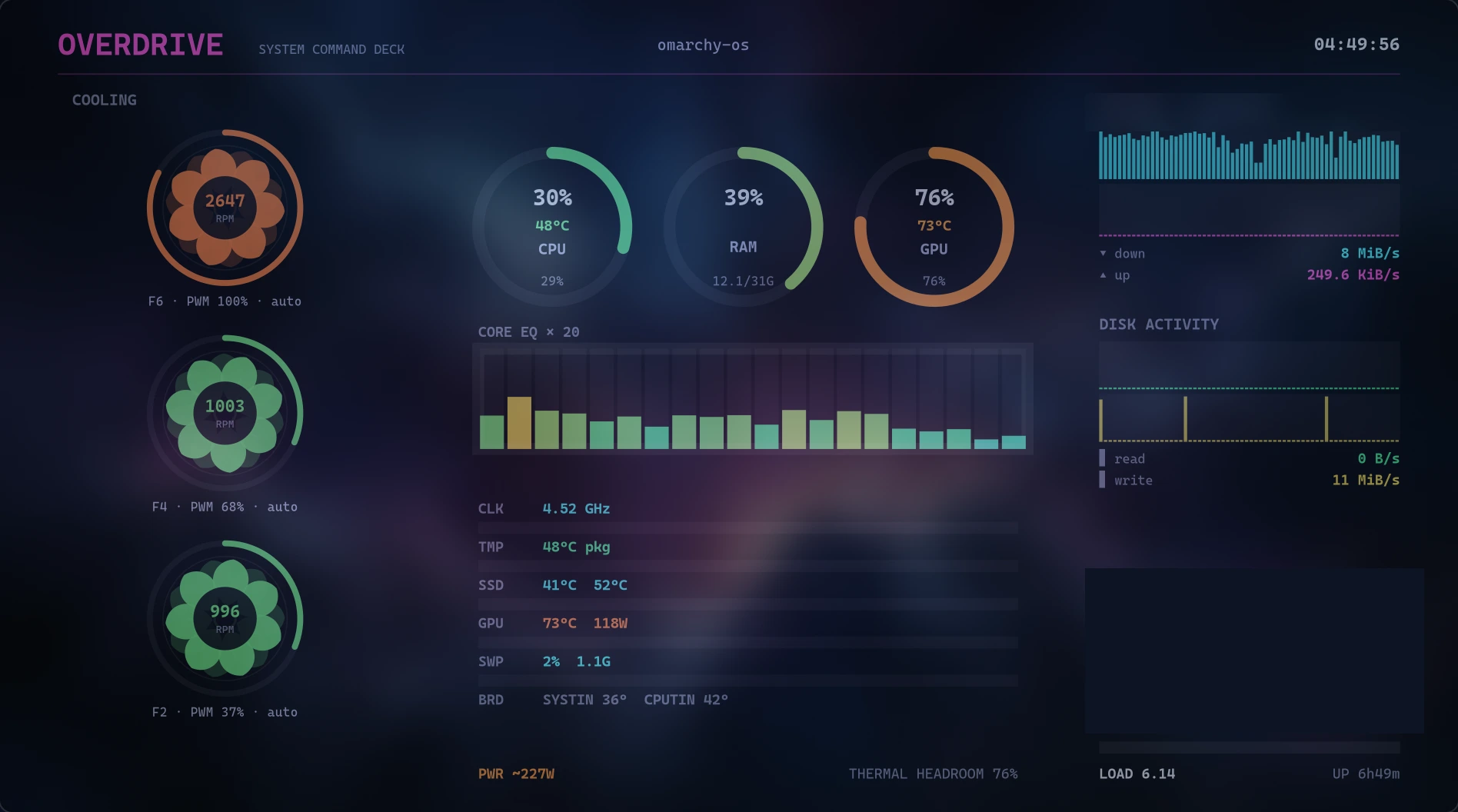
The full deck — cooling gauges, core equalizer, thermal rows and live network/disk sparklines.
A real-time system command deck for Linux. Every core, every degree, every fan — rendered live in one striking HUD. No daemons, no accounts, no telemetry. It runs on your machine and reports to nobody.
The full deck — cooling gauges, core equalizer, thermal rows and live network/disk sparklines.
Hardware telemetry at 60 fps, drawn straight from the kernel.
Per-core load as a live bar array, plus frequency, load average and package temperature.
Utilization, VRAM, temperature and power draw via nvidia-smi.
Spinning RPM gauges with PWM duty % and control mode for up to three fans.
Pressure rings with exact GiB figures, so you know before the swap thrash starts.
Up/down throughput history with auto-scaling peaks on your active interface.
NVMe read/write rates plus per-device usage bars and SSD temperatures.
Package, board (SYSTIN/CPUTIN) and NVMe sensor readouts with an estimated power figure.
No daemon, no background service, no network calls ever. Kill it and it is gone.
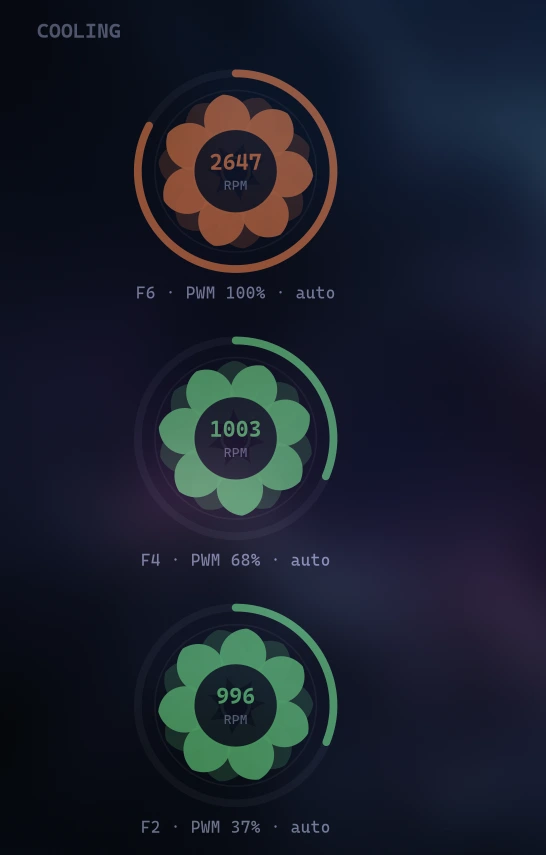
Fans shouldn't be a mystery number in a corner.
Each detected fan gets its own animated gauge — RPM counter, PWM duty cycle and whether the chip is driving it automatically or manually. Supported out of the box with NCT67xx-class Super I/O sensors.
Per-user install. No root, nothing touches system directories.
overdrive-release.zip../install.sh from inside the folder.If you run a desktop Linux from the last two years, you are fine.
| Dependency | Arch | Debian / Ubuntu |
|---|---|---|
| Python 3 + GTK 4 bindings | gtk4 python-gobject | python3-gi gir1.2-gtk-4.0 |
| PyCairo | python-cairo | python3-cairo |
| psutil | python-psutil | python3-psutil |
| nvidia-smi (optional) | NVIDIA proprietary driver | |
The installer checks all of this for you and names exactly what's missing.
Straight answers.
Any mainstream distro with GTK4 and Python 3.10+ — tested on Arch-based and Debian-based systems. The installer verifies dependencies before installing anything.
Both. OVERDRIVE is a native GTK4 app and runs identically under Wayland compositors and X11 sessions.
No — OVERDRIVE is read-only by design. It displays RPM, PWM duty and control mode without ever touching your hardware state.
A zip containing the release build, a per-user installer, uninstaller and documentation. Free updates throughout v1.x. No subscription, no account, no phone-home.
If OVERDRIVE doesn't work on your system, open an issue on GitHub within 14 days of purchase for a full refund.